> ## Documentation Index
> Fetch the complete documentation index at: https://docs.onestack.cloud/llms.txt
> Use this file to discover all available pages before exploring further.
# Monitor project progress at a glance
> Pro
Without a centralized project view, teams often face challenges like fragmented information, inefficient progress tracking, and communication gaps.
Project Overview offers a centralized space for teams to monitor project health, track progress, and collaborate effectively. It consolidates key project metrics, updates, and collaboration tools into a single view. Whether you're a project lead, team member, or stakeholder, this feature provides the visibility you need to stay informed and aligned.
## Access project overview[](#access-project-overview "Direct link to Access project overview")
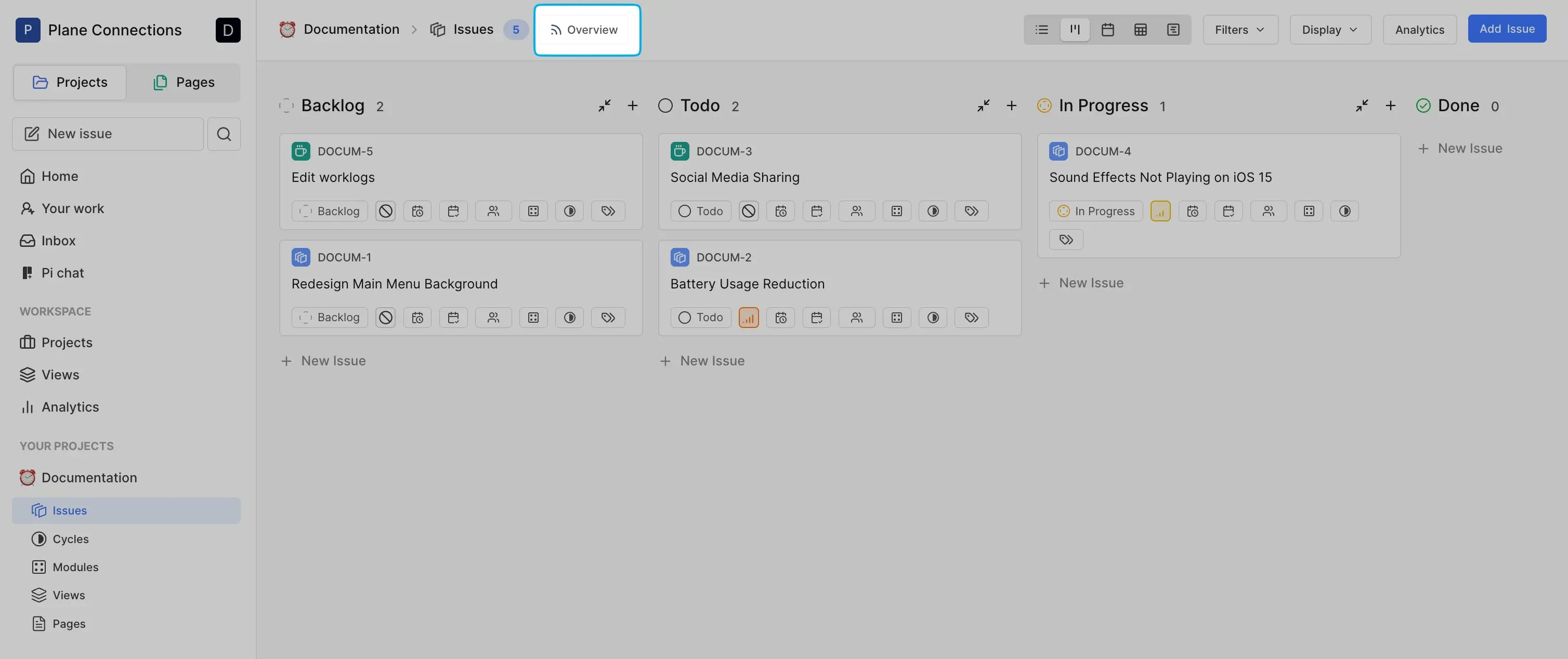
Navigate to **Work items** under your project and click **Overview** on the top bar. Alternatively, click the project name at the top left when working within other sections like Cycles or Pages.
 ## Project header[](#project-header "Direct link to Project header")
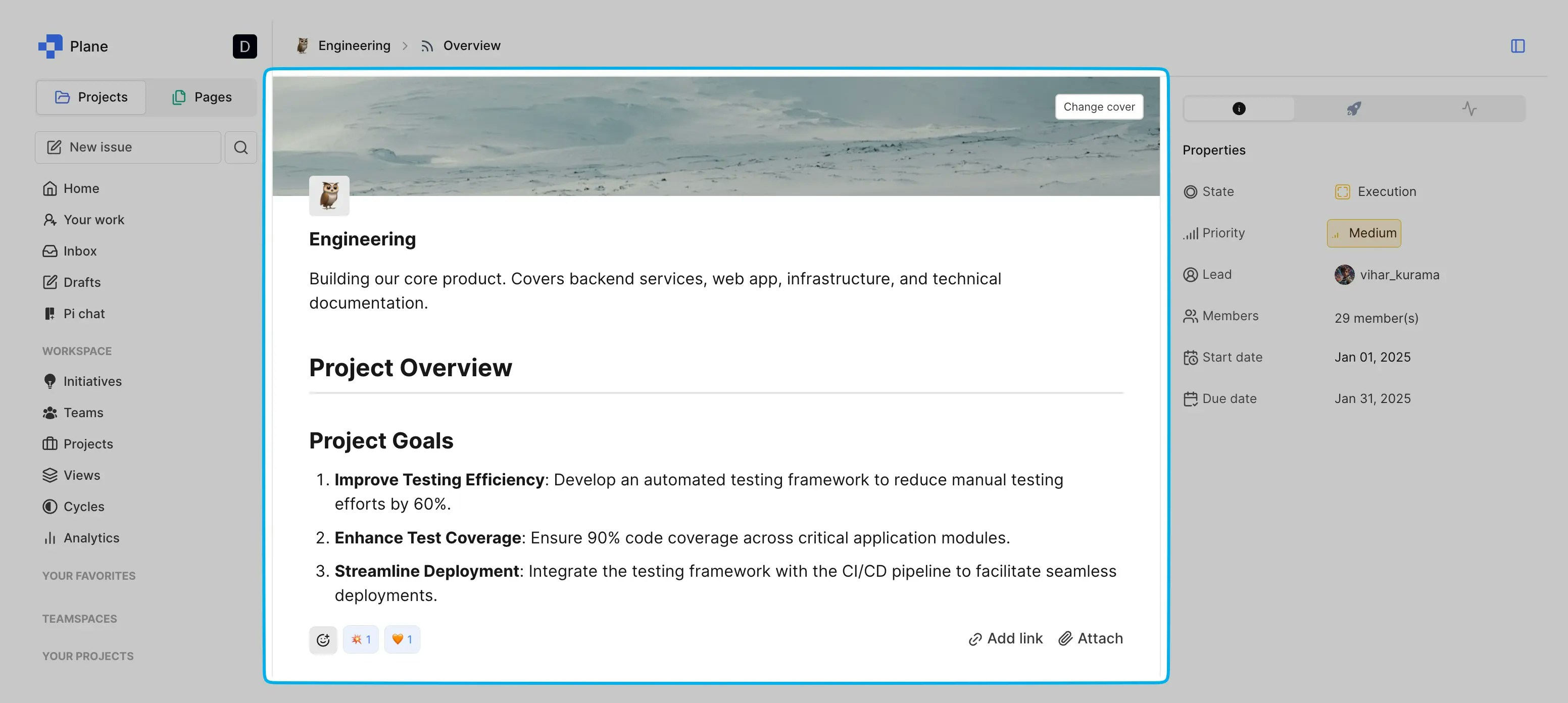
The header includes the project details and quick access to essential actions.
* Add a custom banner and project icon to personalize your dashboard.
* Write key details about your project plan, goals, and success metrics, helping your team stay aligned and focused.
* Attach links or resources directly to the dashboard.
## Project header[](#project-header "Direct link to Project header")
The header includes the project details and quick access to essential actions.
* Add a custom banner and project icon to personalize your dashboard.
* Write key details about your project plan, goals, and success metrics, helping your team stay aligned and focused.
* Attach links or resources directly to the dashboard.
 ## Project metrics[](#project-metrics "Direct link to Project metrics")
You can view overall project completion percentages. Metrics are displayed visually with status bars to help identify bottlenecks.
## Project metrics[](#project-metrics "Direct link to Project metrics")
You can view overall project completion percentages. Metrics are displayed visually with status bars to help identify bottlenecks.
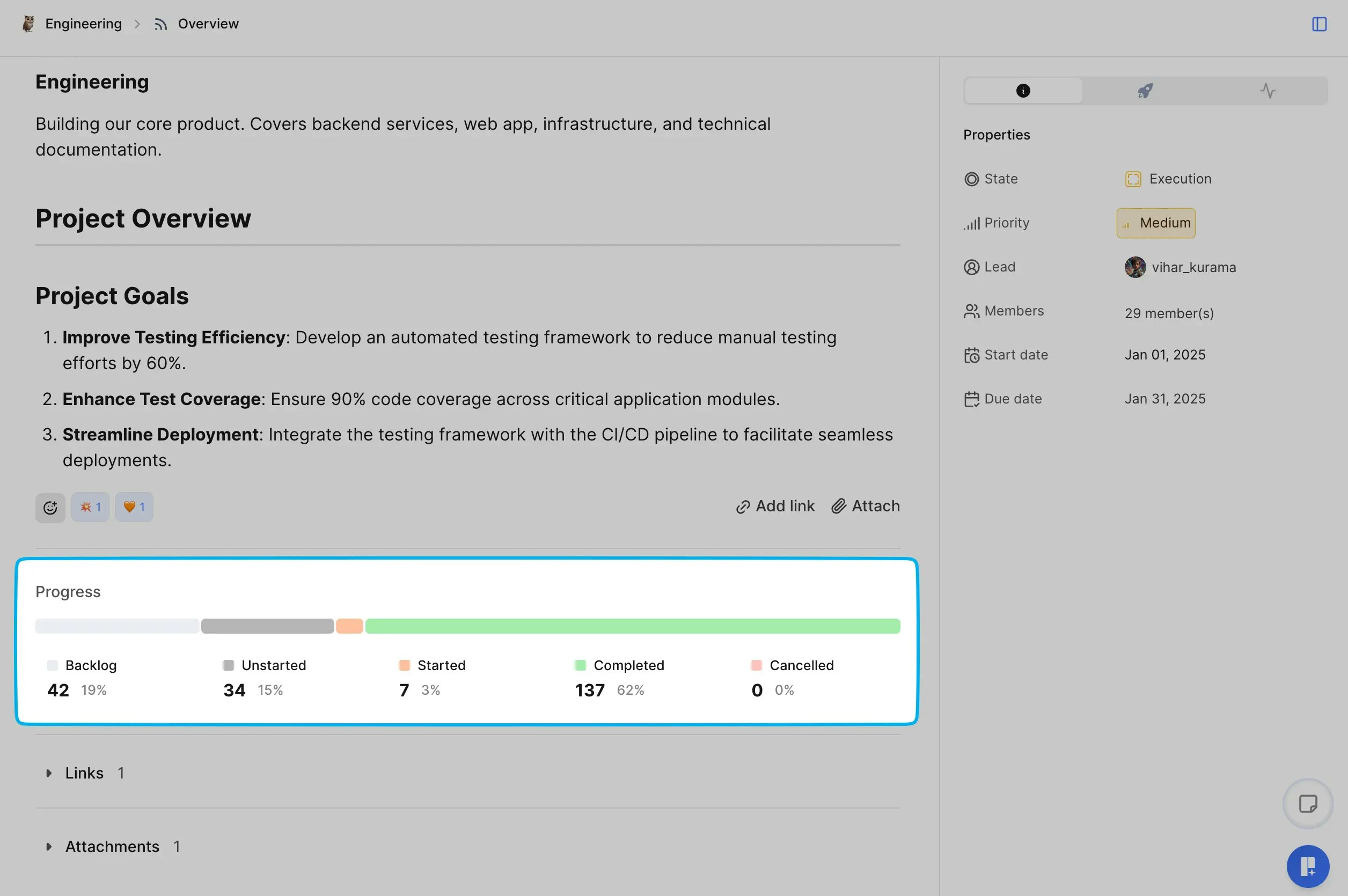 This helps to identify overdue tasks and track progress over time. Task status breakdown:
* **Backlog**: Tasks that are planned but not yet prioritized.
* **Unstarted**: Tasks yet to begin.
* **Started**: Tasks currently in progress.
* **Completed**: Tasks that are done.
## Project properties[](#project-properties "Direct link to Project properties")
This helps to identify overdue tasks and track progress over time. Task status breakdown:
* **Backlog**: Tasks that are planned but not yet prioritized.
* **Unstarted**: Tasks yet to begin.
* **Started**: Tasks currently in progress.
* **Completed**: Tasks that are done.
## Project properties[](#project-properties "Direct link to Project properties")
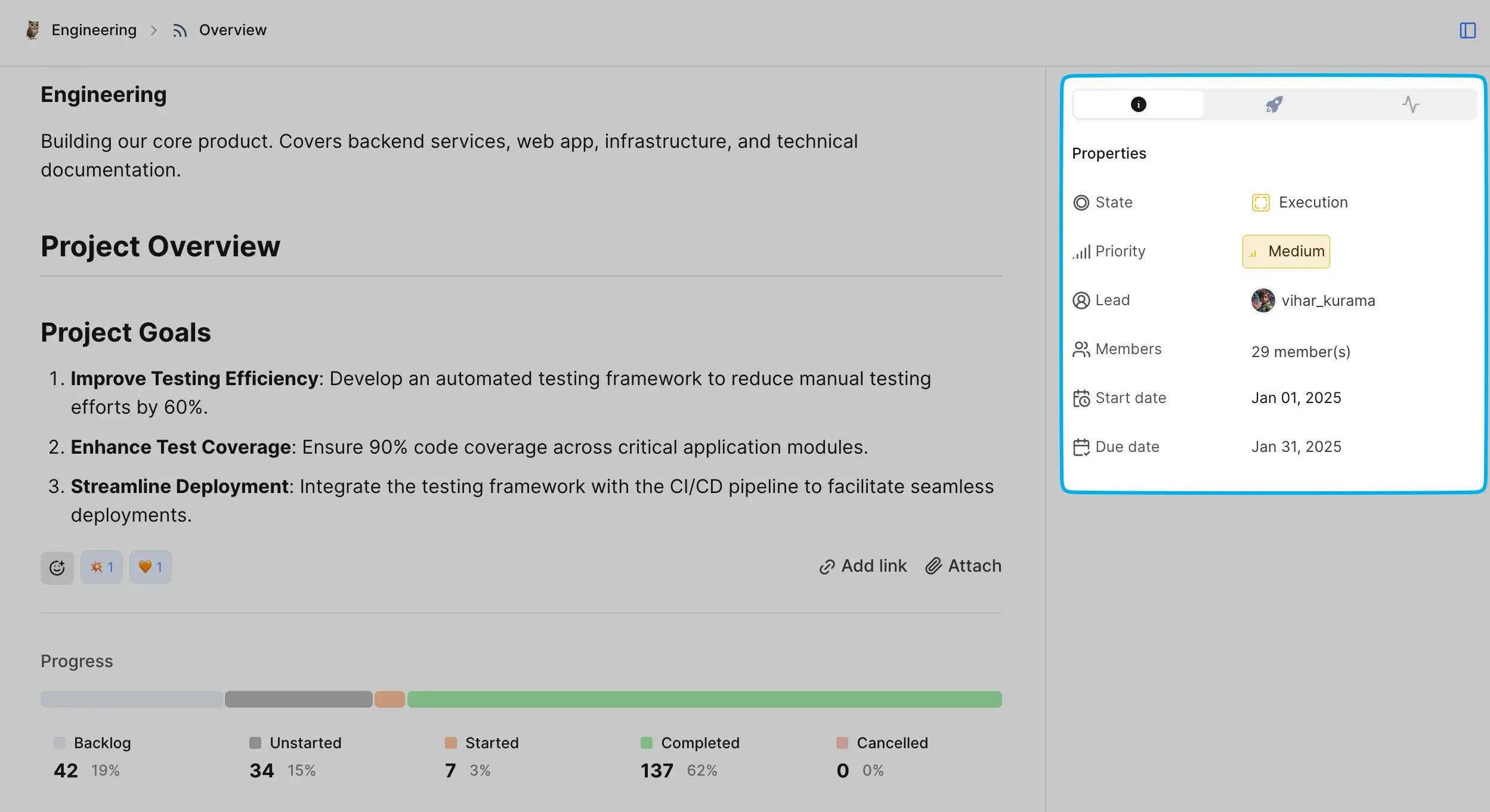 Quickly view and edit project properties in the info icon tab on the side panel.
* **State**: Displays the current state of the project (e.g., Execution).
* **Priority**: Shows the priority level (e.g., Urgent, High, Medium, Low, or None).
* **Team composition**: See the number of **Members** involved and the assigned Project **Lead**.
* **Timeline**: Manage and monitor **Start date** and **Due date** for the project.
## Project updates[](#project-updates "Direct link to Project updates")
Share project status using updates. This helps keep your team informed and create a timeline of project progress.
### Turn on project updates[](#turn-on-project-updates "Direct link to Turn on project updates")
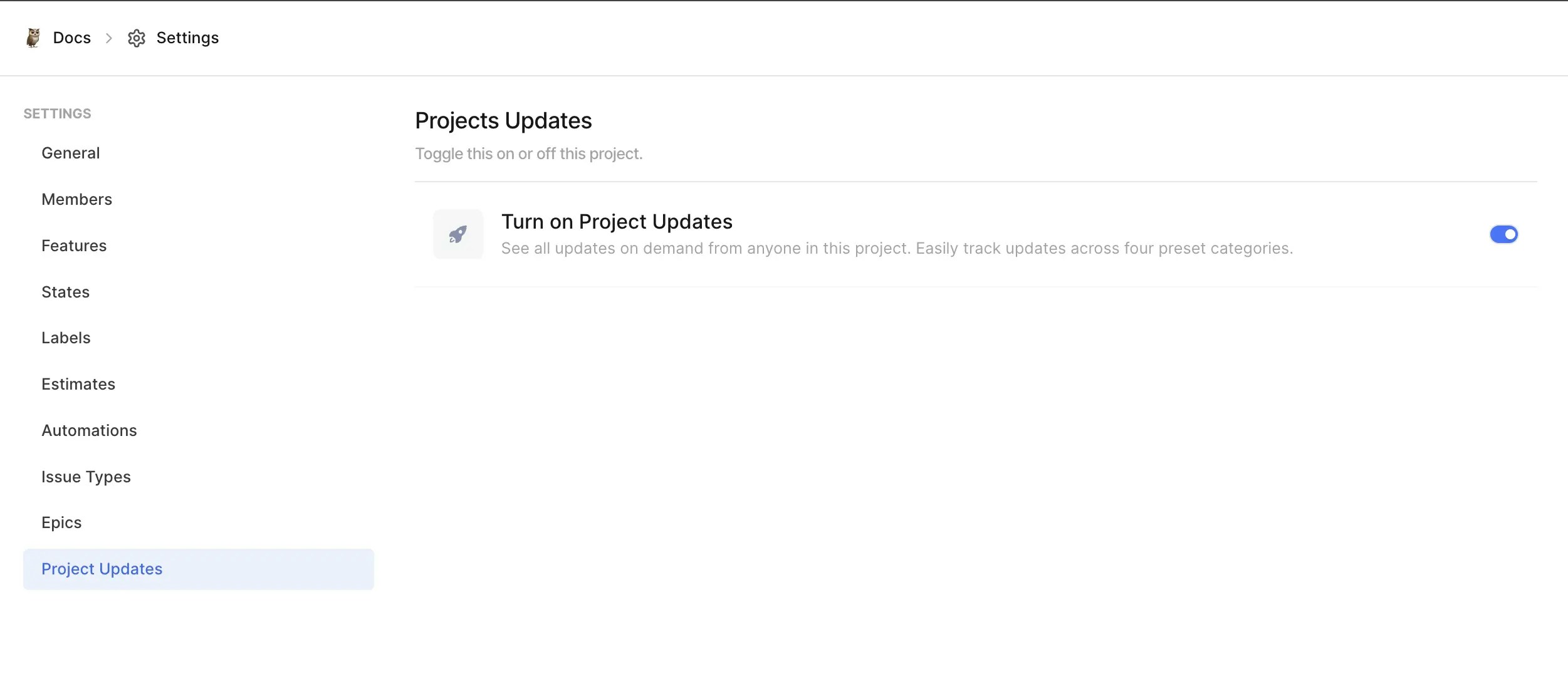
Go to your [project's settings](/core-concepts/projects/overview#project-settings) and turn on **Project Updates**.
Quickly view and edit project properties in the info icon tab on the side panel.
* **State**: Displays the current state of the project (e.g., Execution).
* **Priority**: Shows the priority level (e.g., Urgent, High, Medium, Low, or None).
* **Team composition**: See the number of **Members** involved and the assigned Project **Lead**.
* **Timeline**: Manage and monitor **Start date** and **Due date** for the project.
## Project updates[](#project-updates "Direct link to Project updates")
Share project status using updates. This helps keep your team informed and create a timeline of project progress.
### Turn on project updates[](#turn-on-project-updates "Direct link to Turn on project updates")
Go to your [project's settings](/core-concepts/projects/overview#project-settings) and turn on **Project Updates**.
 ### Add project updates[](#add-project-updates "Direct link to Add project updates")
1. Select the tab with rocket icon in the side panel.
2. Click the **Add an Update** button.
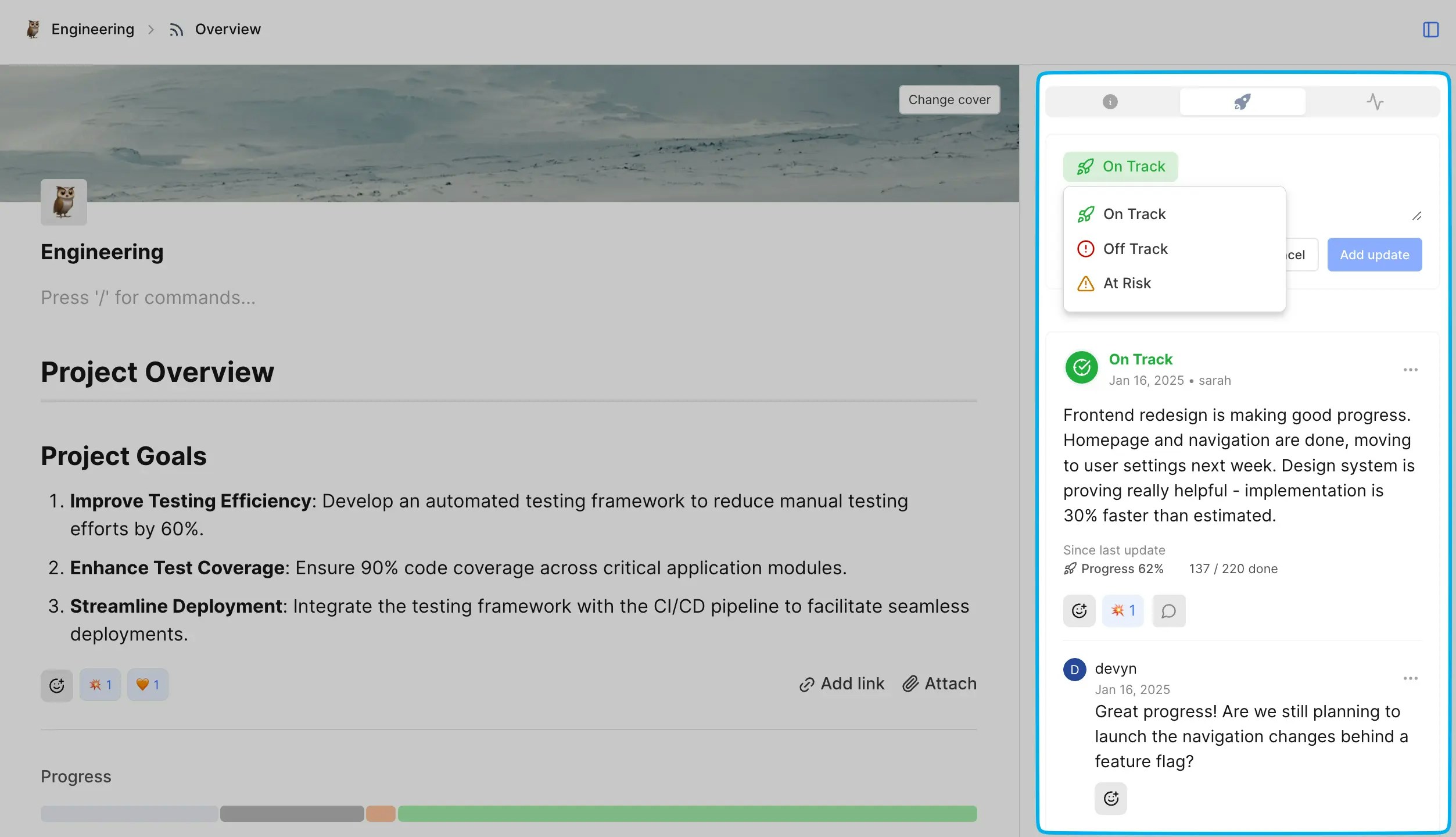
3. Select the status. Each update can be marked as:
* 🚀 **On Track** - Project is progressing as planned
* ⚠️ **At Risk** - There are potential work items that need attention
* ❗ **Off Track** - Project has significant blockers or delays
4. Add your update message.
5. Click **Add update**.
### Add project updates[](#add-project-updates "Direct link to Add project updates")
1. Select the tab with rocket icon in the side panel.
2. Click the **Add an Update** button.
3. Select the status. Each update can be marked as:
* 🚀 **On Track** - Project is progressing as planned
* ⚠️ **At Risk** - There are potential work items that need attention
* ❗ **Off Track** - Project has significant blockers or delays
4. Add your update message.
5. Click **Add update**.
 ### Collaborate on updates[](#collaborate-on-updates "Direct link to Collaborate on updates")
* Start threaded discussions around specific updates or tasks.
* Use emoji reactions for quick feedback.
* Mention team members to notify them directly. (coming soon)
## Activity feed[](#activity-feed "Direct link to Activity feed")
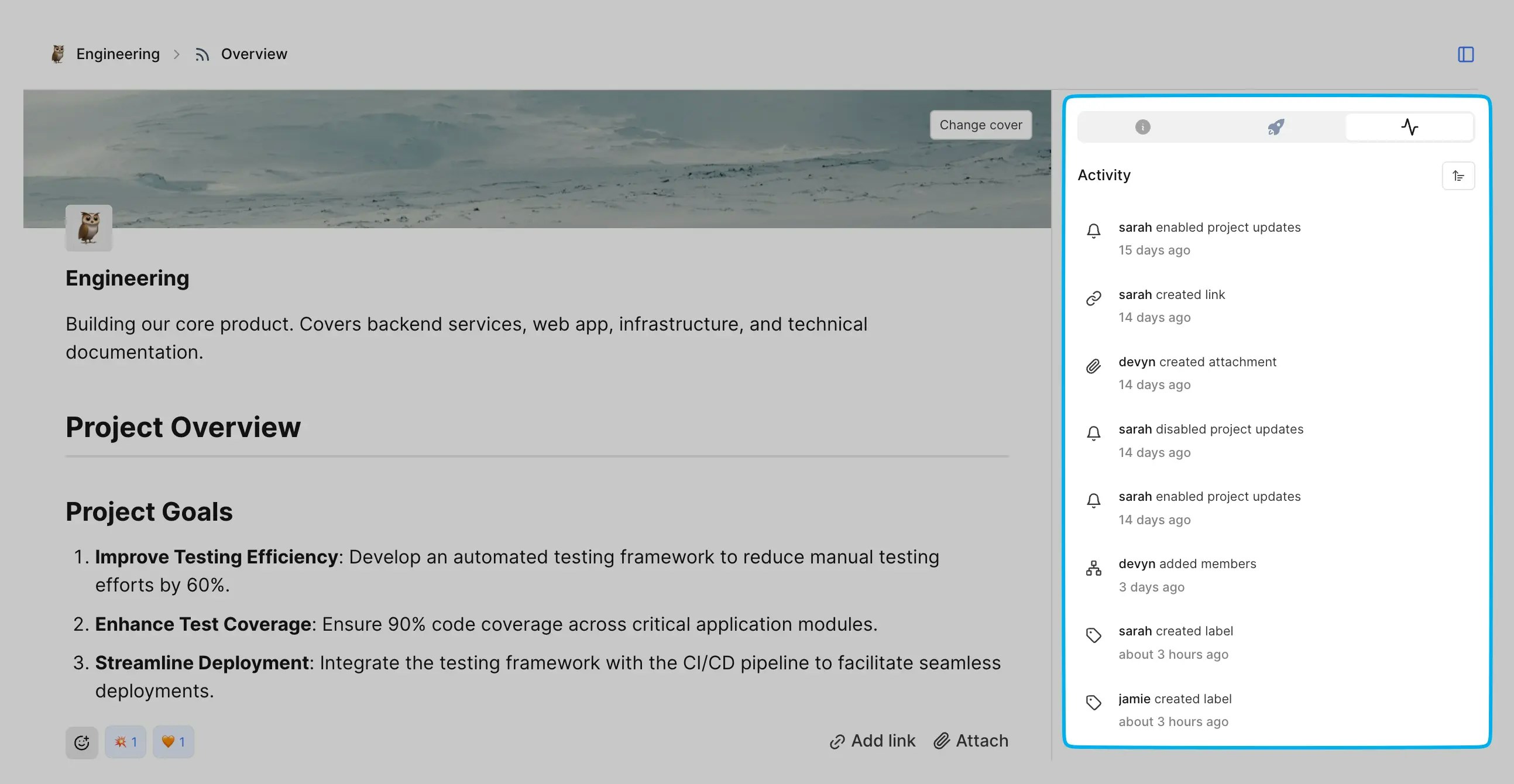
Get real-time updates on project activities, such as task progress, state changes, and new members. Updates are listed chronologically, making it easy to follow the project’s history.
### Collaborate on updates[](#collaborate-on-updates "Direct link to Collaborate on updates")
* Start threaded discussions around specific updates or tasks.
* Use emoji reactions for quick feedback.
* Mention team members to notify them directly. (coming soon)
## Activity feed[](#activity-feed "Direct link to Activity feed")
Get real-time updates on project activities, such as task progress, state changes, and new members. Updates are listed chronologically, making it easy to follow the project’s history.