

Where to find Inbox
Located in the sidebar on the left, directly below Home and Your Work, the Inbox is easily accessible with a simple click. This provides instant access to your personalized notification feed.
Work item notifications
When you open the Inbox, you’ll see a chronological list of notifications related to work items assigned to you, the ones you’ve created, and the work items you’re subscribed to. Each notification provides quick context, like the work item title, who updated it, and when it was updated.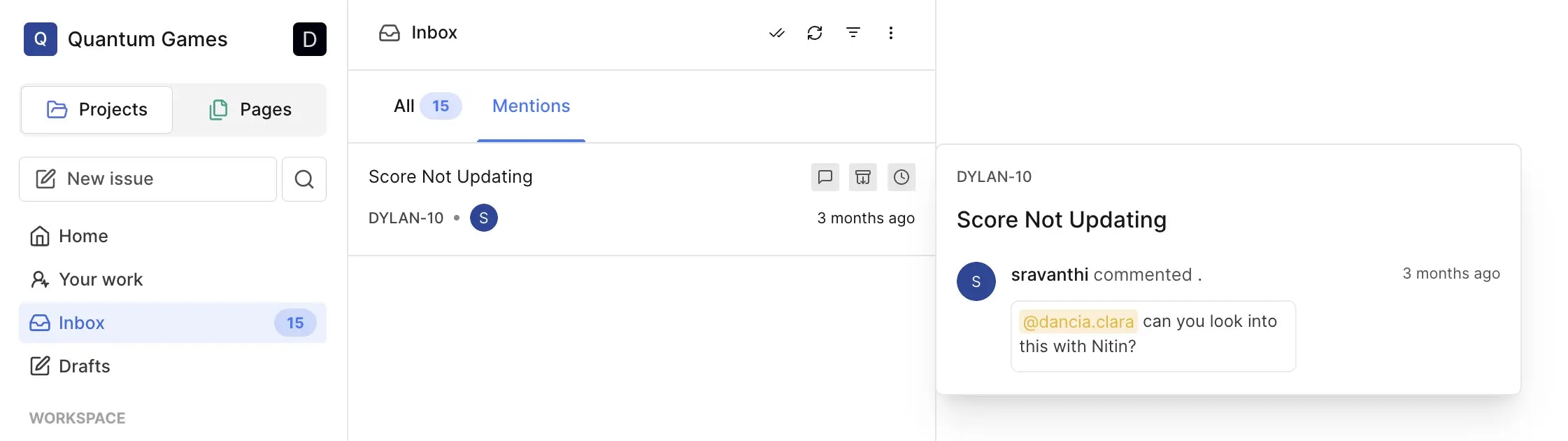
Filter notifications
In the top-right corner of the Inbox pane, you’ll find the filters dropdown. Use it to customize your view by showing work items related to your involvement. You can activate one or multiple filters to focus on relevant notifications. The three-dot icon enables further filtering to show unread, archived, and snoozed work items.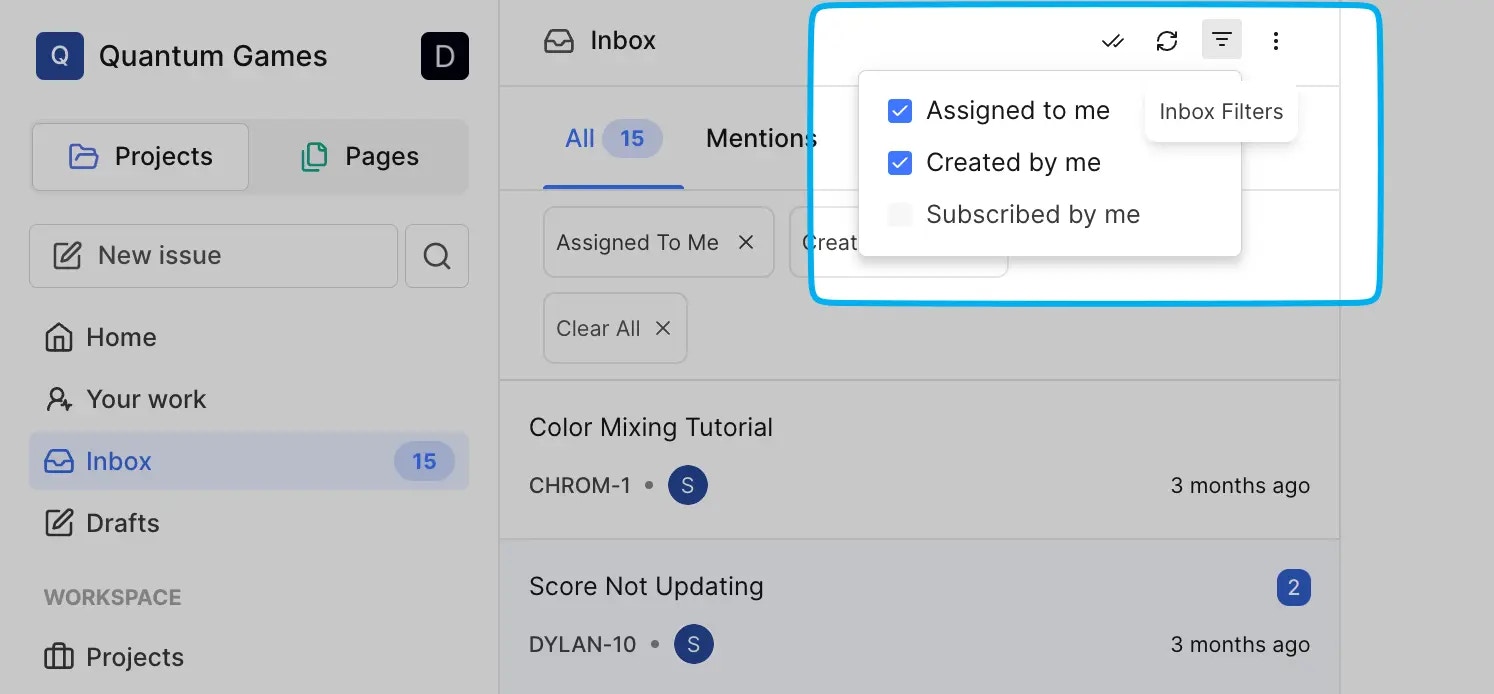
Stacked notifications
Pro We’ve introduced stacked notifications to make your Inbox even more efficient. When there are changes to the same work item, they’ll be grouped into a parent notification. Hover over the notification to see all the grouped changes without sifting through a cluttered list.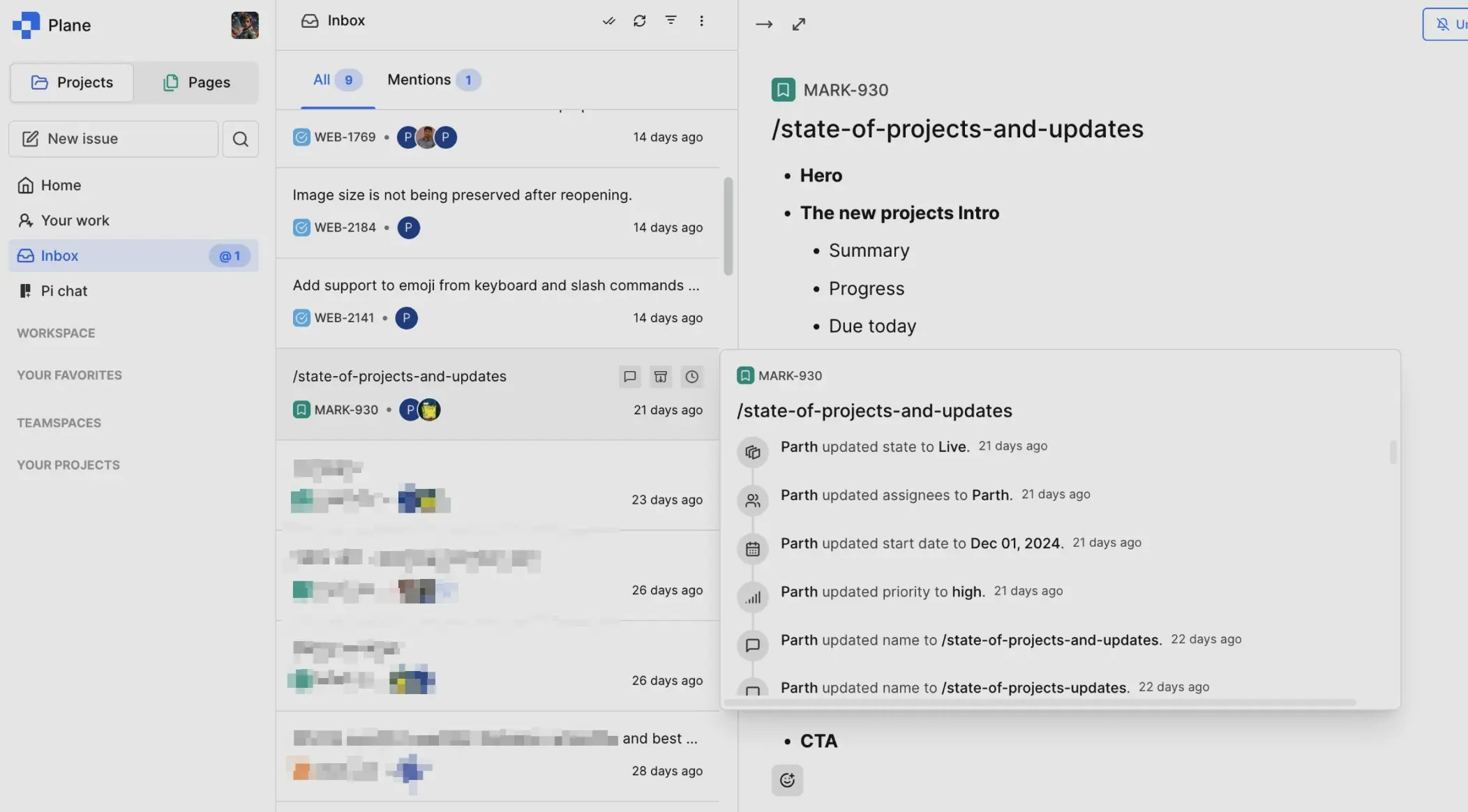
The Inbox is designed to save you time and help you stay organized while keeping track of everything that’s happening in your projects.